
The NetHarness project has gained new features for remotely inspecting classic Amiga computers over TCP/IP. Version 1.17 (1.18 - fixes) introduces CHIP, COPPER, SPRITES and PALETTE commands, providing information about custom chips, Copper lists, hardware sprites and colour palettes.
Added: 2026-10-20 09:40, Author: st, Category: Hardware
NetHarness 1.18 - new remote debugging capabilities for Amiga
Previous updates also introduced memory leak detection by tracking AllocMem and AllocVec calls, CPU exception capture, and register and stack inspection after application crashes. Additional commands allow developers to inspect memory, disassemble code and examine active system tasks.
NetHarness works with tools running on modern computers, including Python scripts and an MCP server exposing its diagnostic capabilities. This makes it useful for automated testing and remote debugging of software running on real Amiga hardware.
On the Amiga side, a Motorola 68020 or newer processor, AmigaOS 3.0 or later, and a working TCP/IP stack providing bsdsocket.library, such as Roadshow, Miami or AmiTCP, are required.
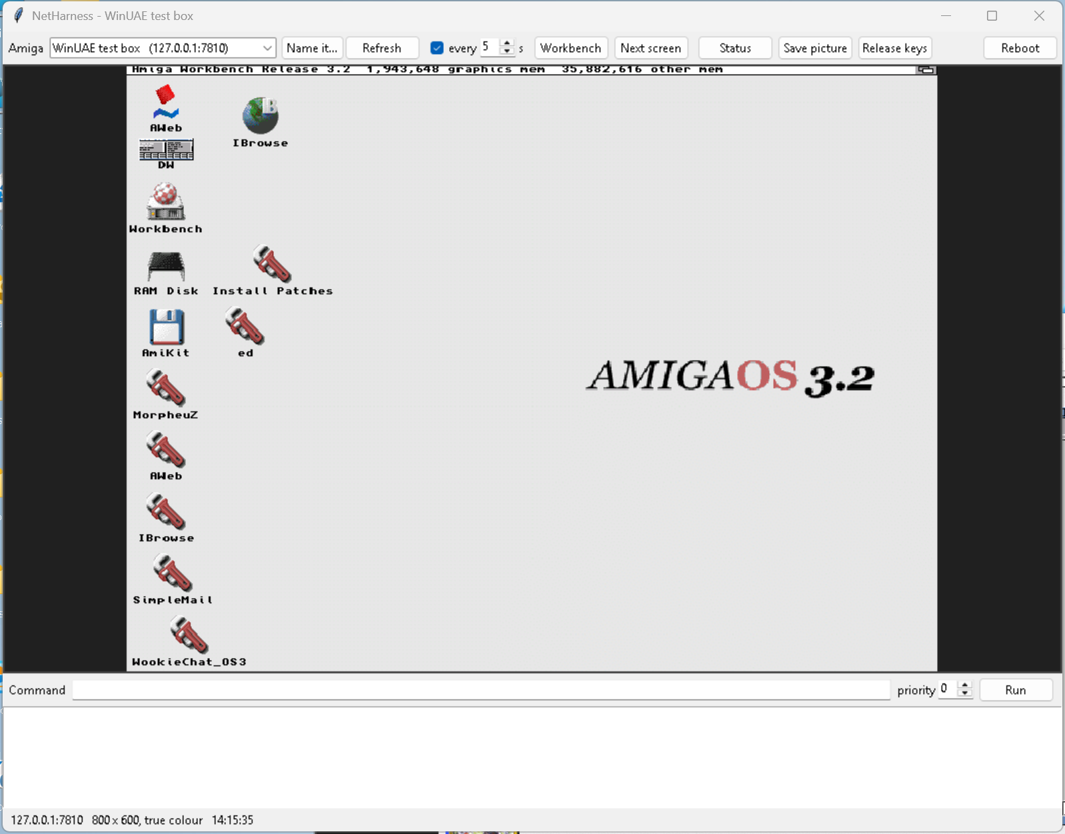
Instead of entering commands, you can launch a graphical interface on your PC. The window displays the Amiga's current screen, allowing you to click icons, drag windows, navigate menus, type using the keyboard and execute AmigaDOS commands. However, this is not a traditional VNC solution: NetHarness captures updated screenshots after user actions or every few seconds. It is well suited for application testing and automation, but not for smooth animation or real-time desktop interaction.
Source: github.com
Similar news:

- Wicher 508i
- Flickerfixer for A500/A2000 (based on FPGA)
- Pros and cons: Amiga 500 / Test of A604n extension
- Rämixx500
Comments is loading...
- AmiWigilia
-
- AMIcast - Special Episode 10 - Amiga News
06-10 08:37 - AMIcast - Episode 27 - Amiga 34 - Adam Zalepa
10-26 16:39 - AMIcast - Special Episode 9 - Amiga in 2018
12-30 11:01
- AMIcast - Special Episode 10 - Amiga News
- Image Album
-


- OS4 Depot
-
- pragtical.lha - development / edit - The practical and pragmatic code editor
- clib4.lha - development / library / misc - clib4 library
- flashmandelng.lha - graphics / misc - Mandelbrot & Julia fractals for OS4 Amiga
- hwp_avcodec.lha - library / hollywood - Hollywood plugin for AVCodec
- dopus5byai.lha - utility / filetool - Directory Opus 5
- edgesnap.lha - utility / workbench - Tile windows by dragging them to an edge
- telegramamiga.lha - network / chat - Unofficial native MTProto Telegram chat client
- structlist.lha - development / utility - Compilation a virtually ALL structures in the SDK
- amelinium.lha - network / browser - Web browser with JS + HTML mail client
- sfront.lha - utility / script - Provides an exe front for a script.